Docs
Everything Actionary can do, explained with real screenshots of the app — not marketing renders. New here? Start with Getting started.
Capture first, organize later
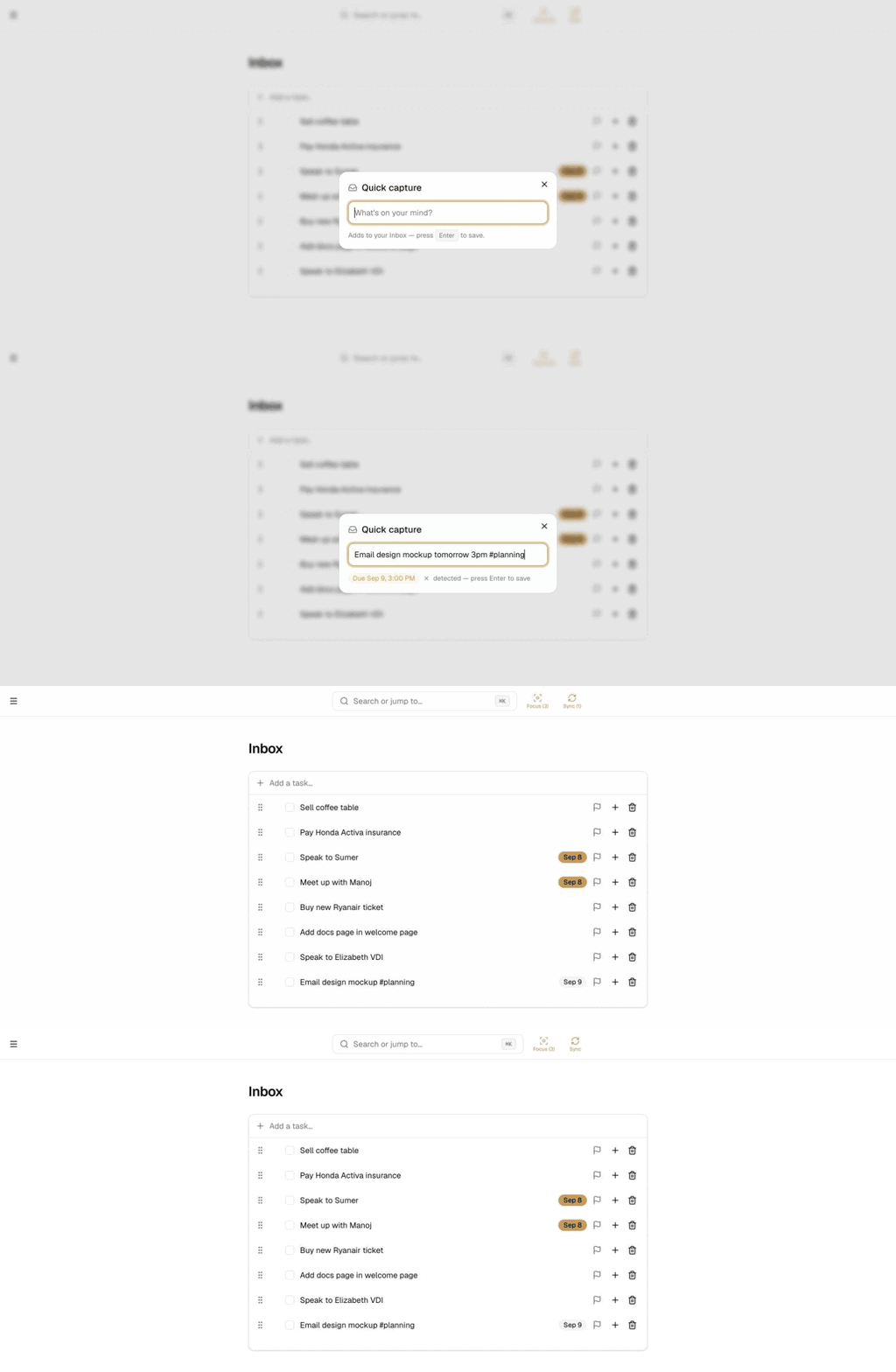
Press C anywhere in the app to open quick capture, jot the task down, and get back to what you were doing. Everything you type lands in the Inbox first — you sort it into a project when you're ready, not before.
Type naturally and Actionary parses the date for you: “Email the client tomorrow 3pm” becomes a task due tomorrow at 3pm — no separate date picker required.
Sequential, parallel, or just a list
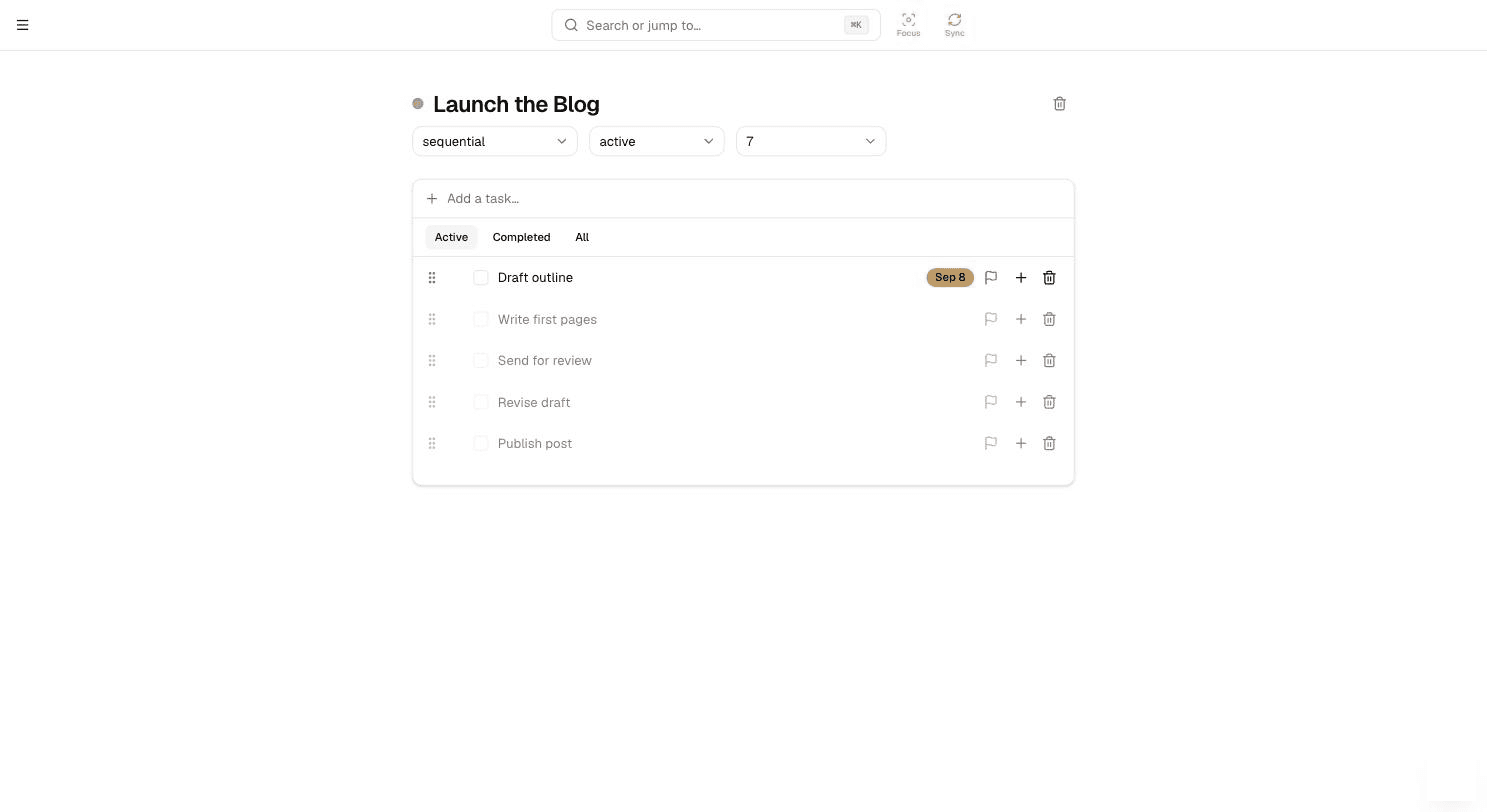
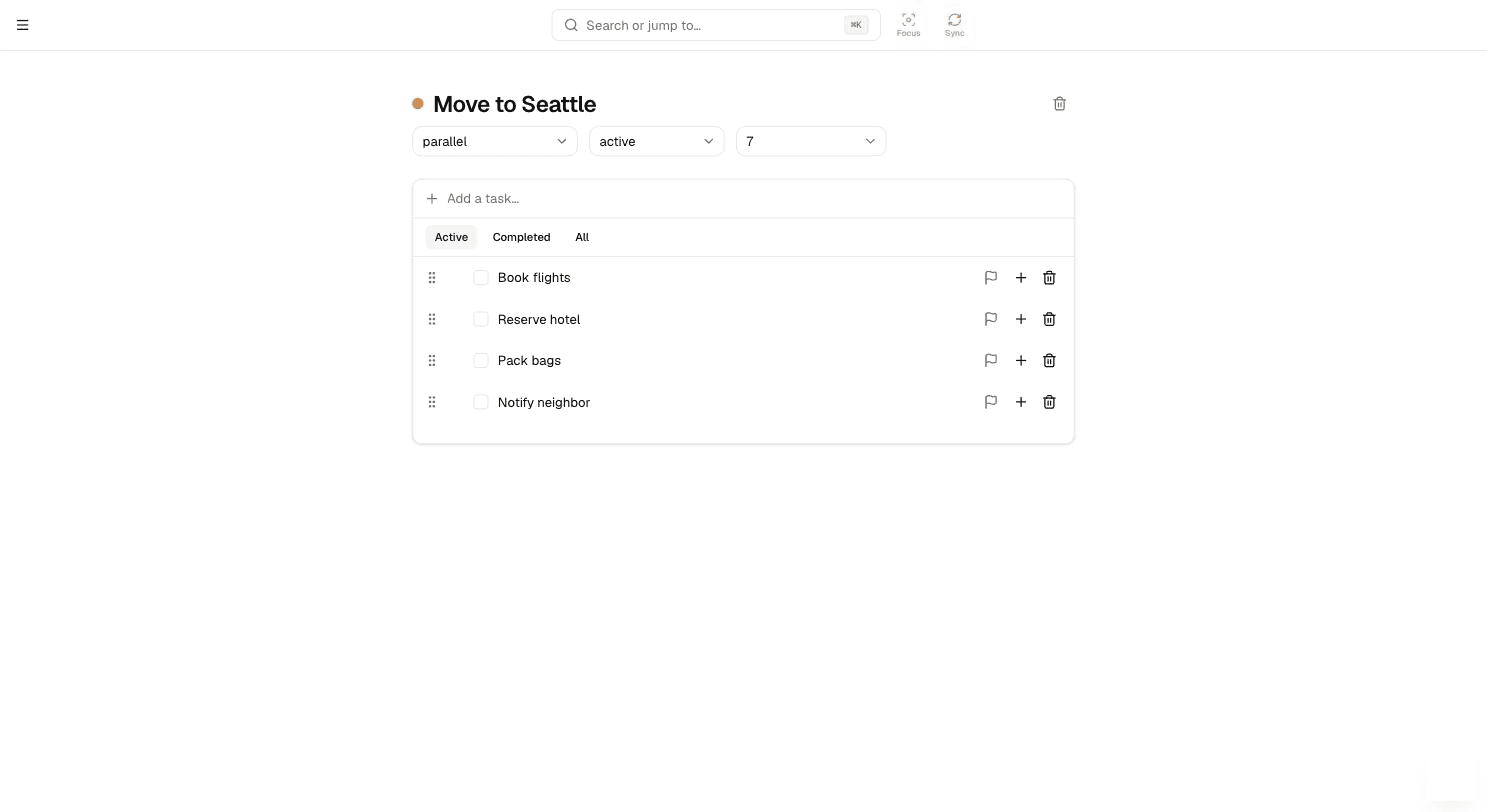
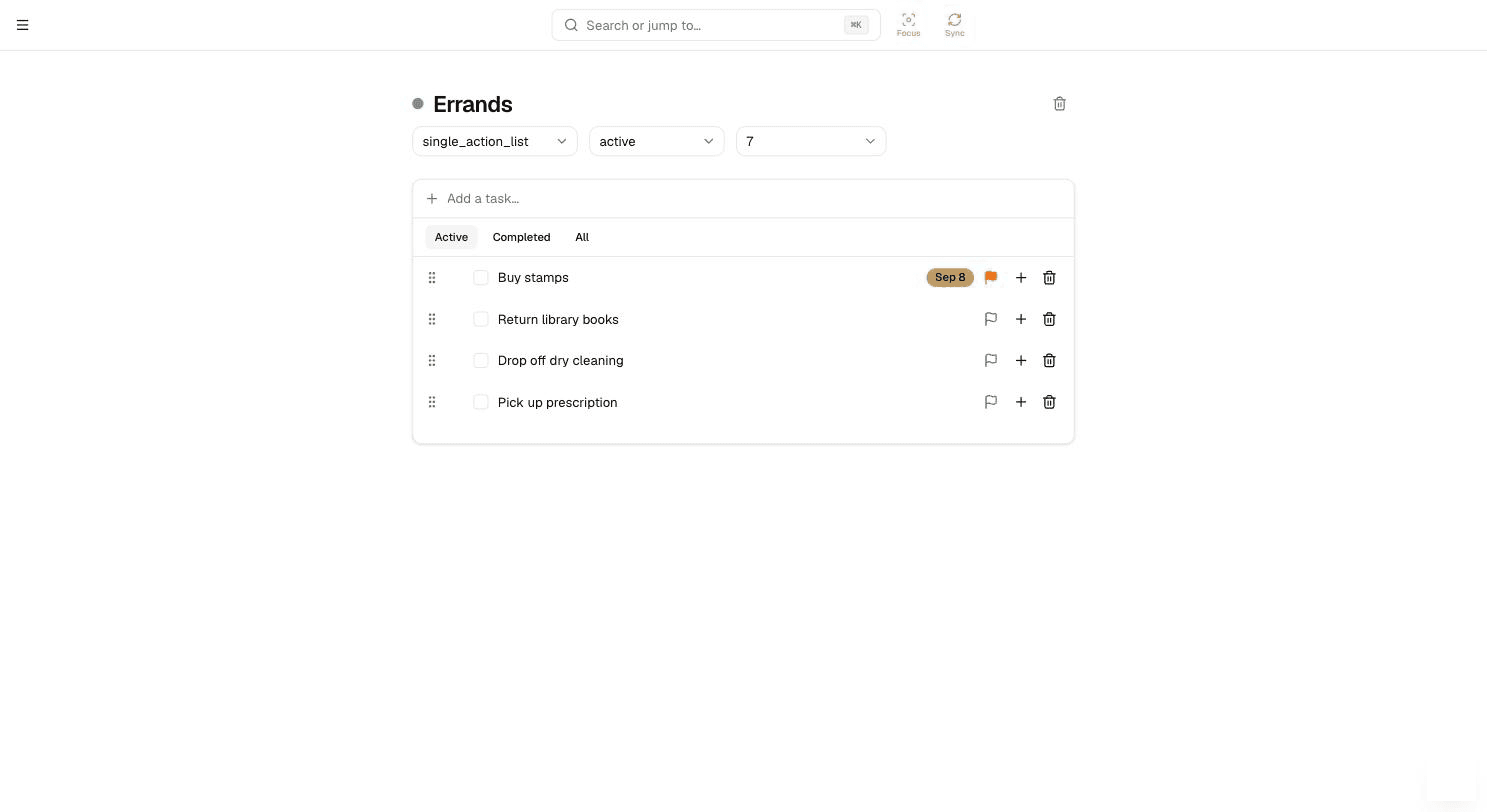
Every project is one of three types, and the type changes what “available” means for its tasks:
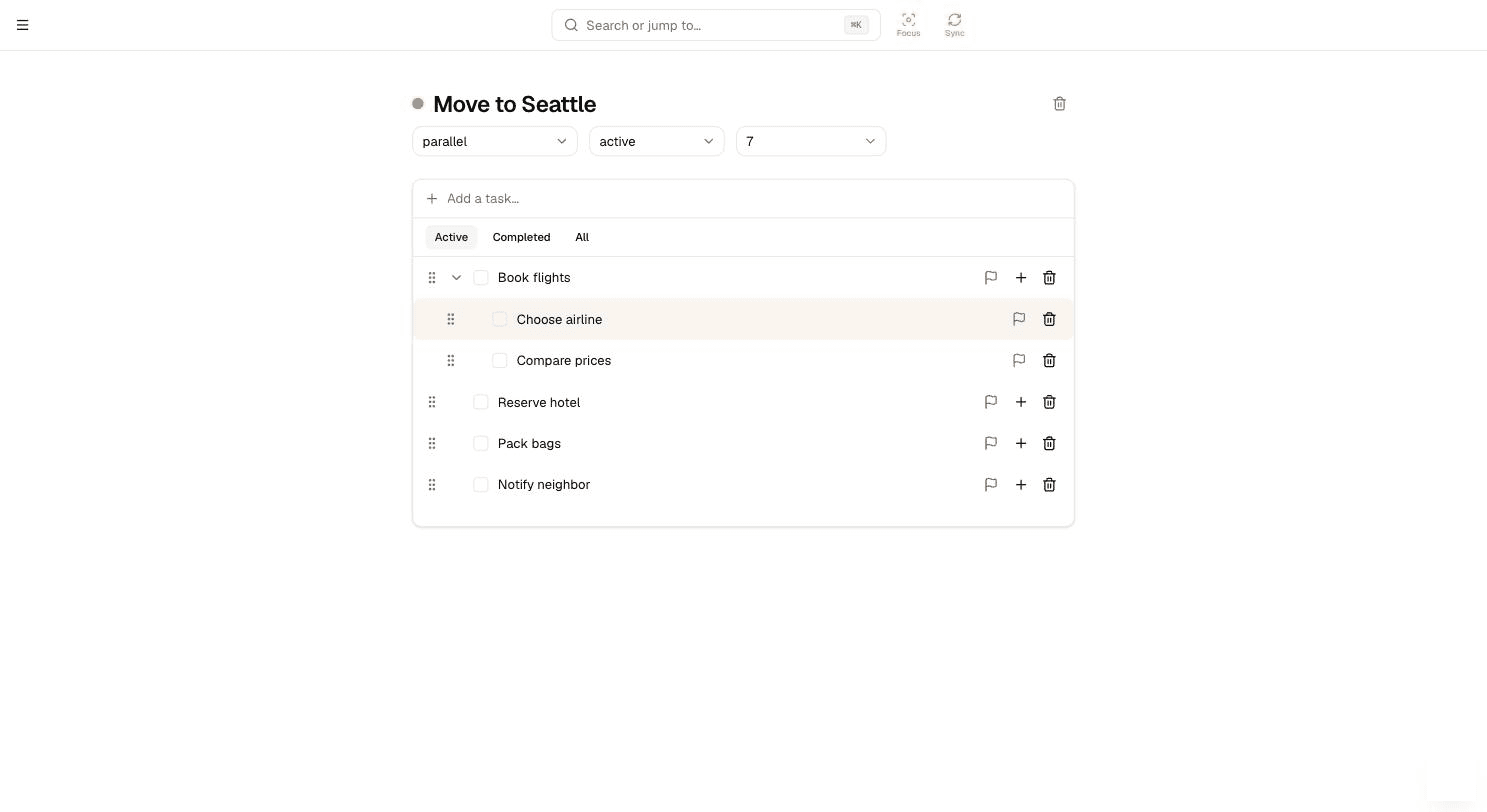
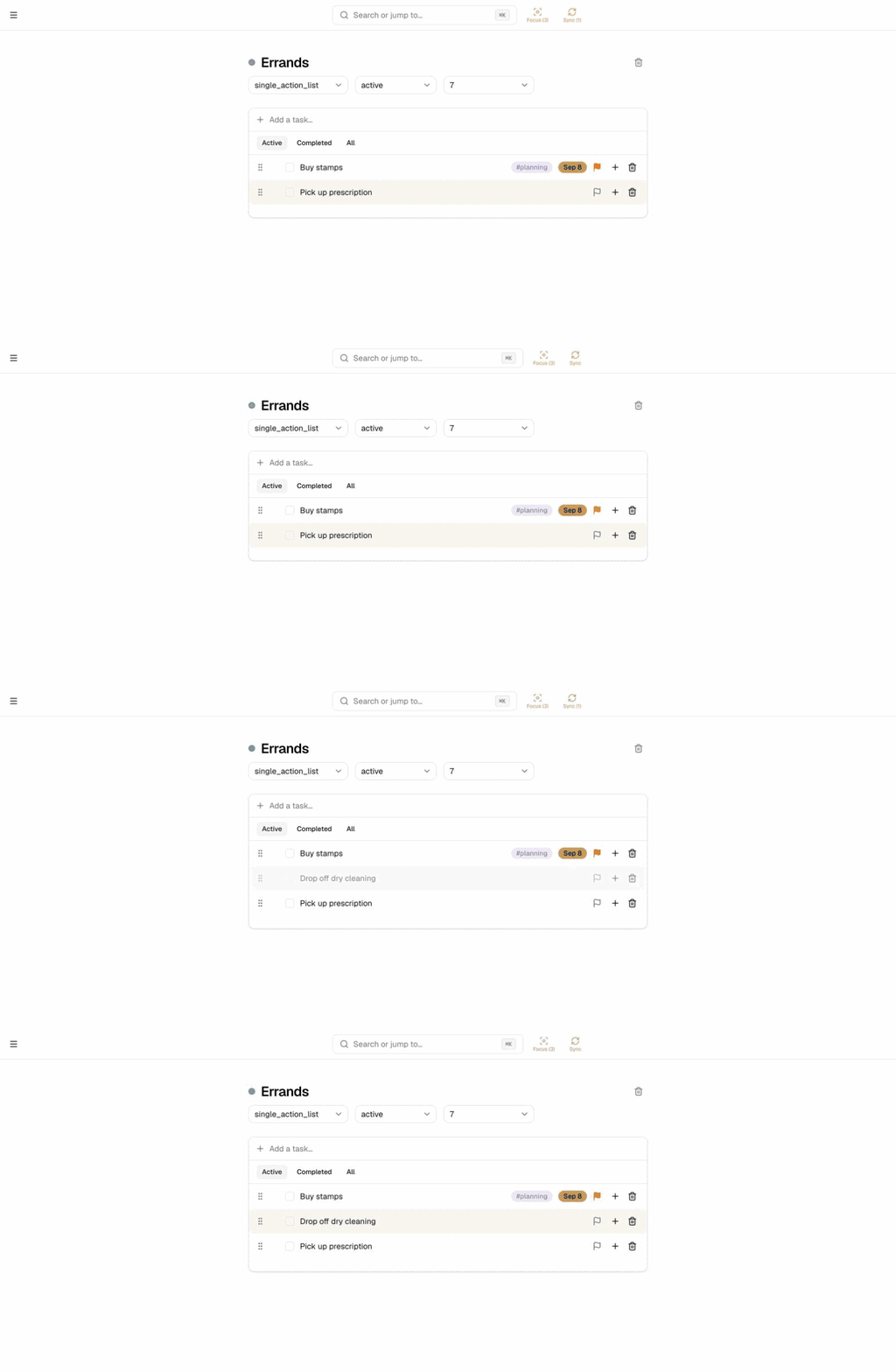
Drag one task onto another to make it a subtask — drag it back out to promote it again.
See a project as a Kanban board
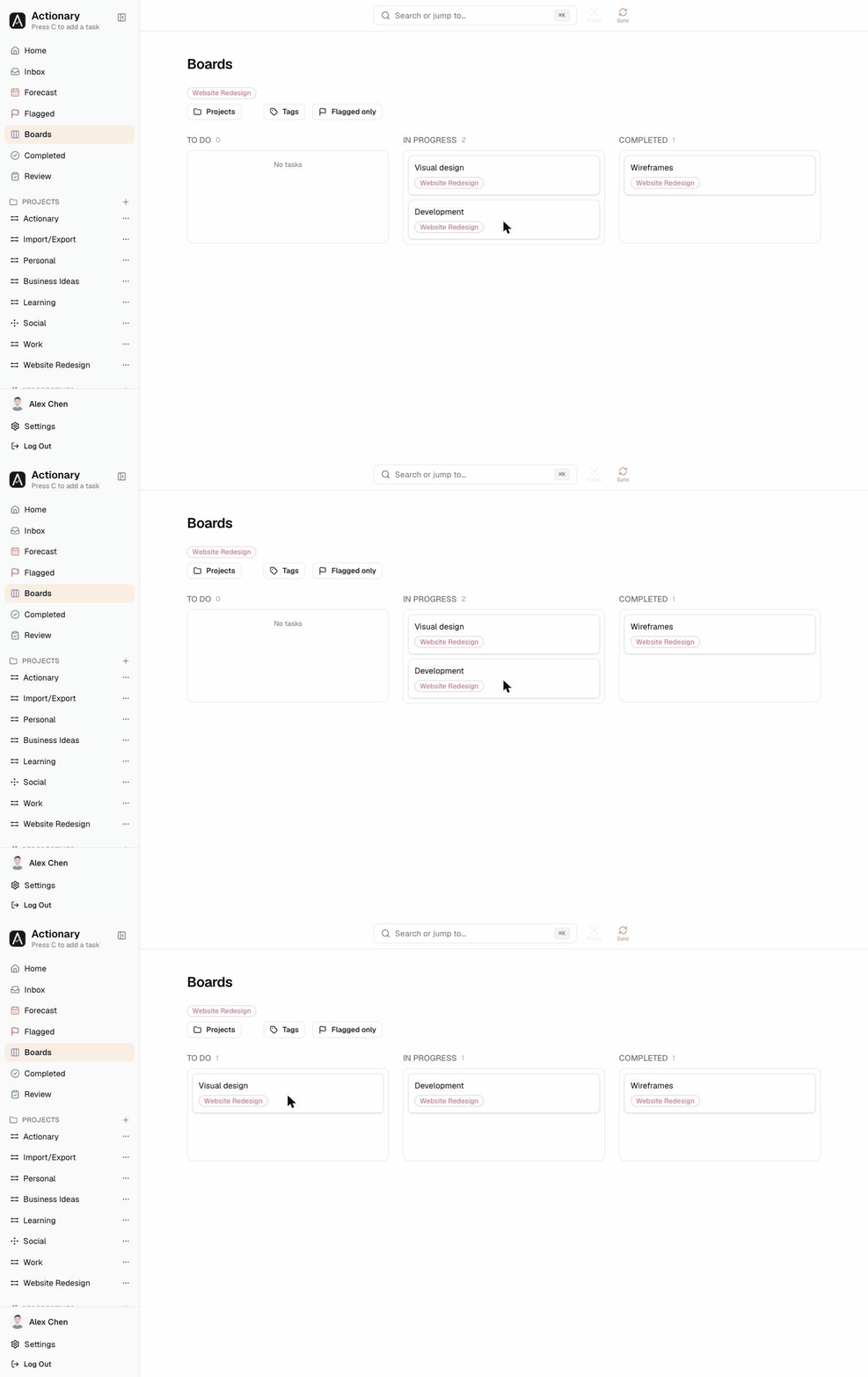
Boards lays every project task out as cards in three columns — To Do, In Progress, and Completed — and dragging a card between columns updates the task for you. Filter the board by project, tag, or flagged-only to focus on a slice of the work.
Lay a project out as a mind map
Switch any project from List to Map (top-right of its task list) and its tasks become a mind map: the project on the left, every task a node, subtasks branching to the right — as deep as you like. Every node is the real task, so anything you change here shows up everywhere else.
Brainstorm from the keyboard: select a node, press Tab to branch out a subtask and Enter to add the next idea beside it. Drag a node onto another to nest it there, or onto its top or bottom edge to place it alongside — its whole branch moves with it. Collapse a branch with the small button on its right edge.
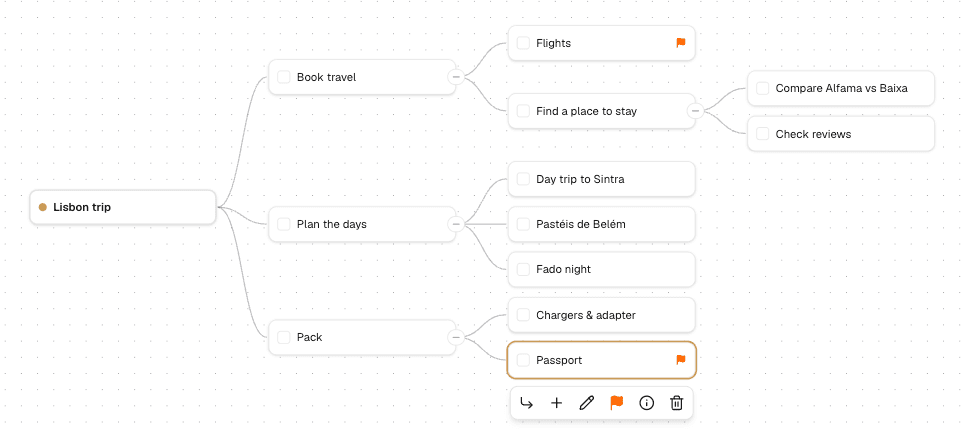
Select a task for its toolbar: add a subtask or a sibling, rename, flag, open details, or delete.
Work on a project with someone else
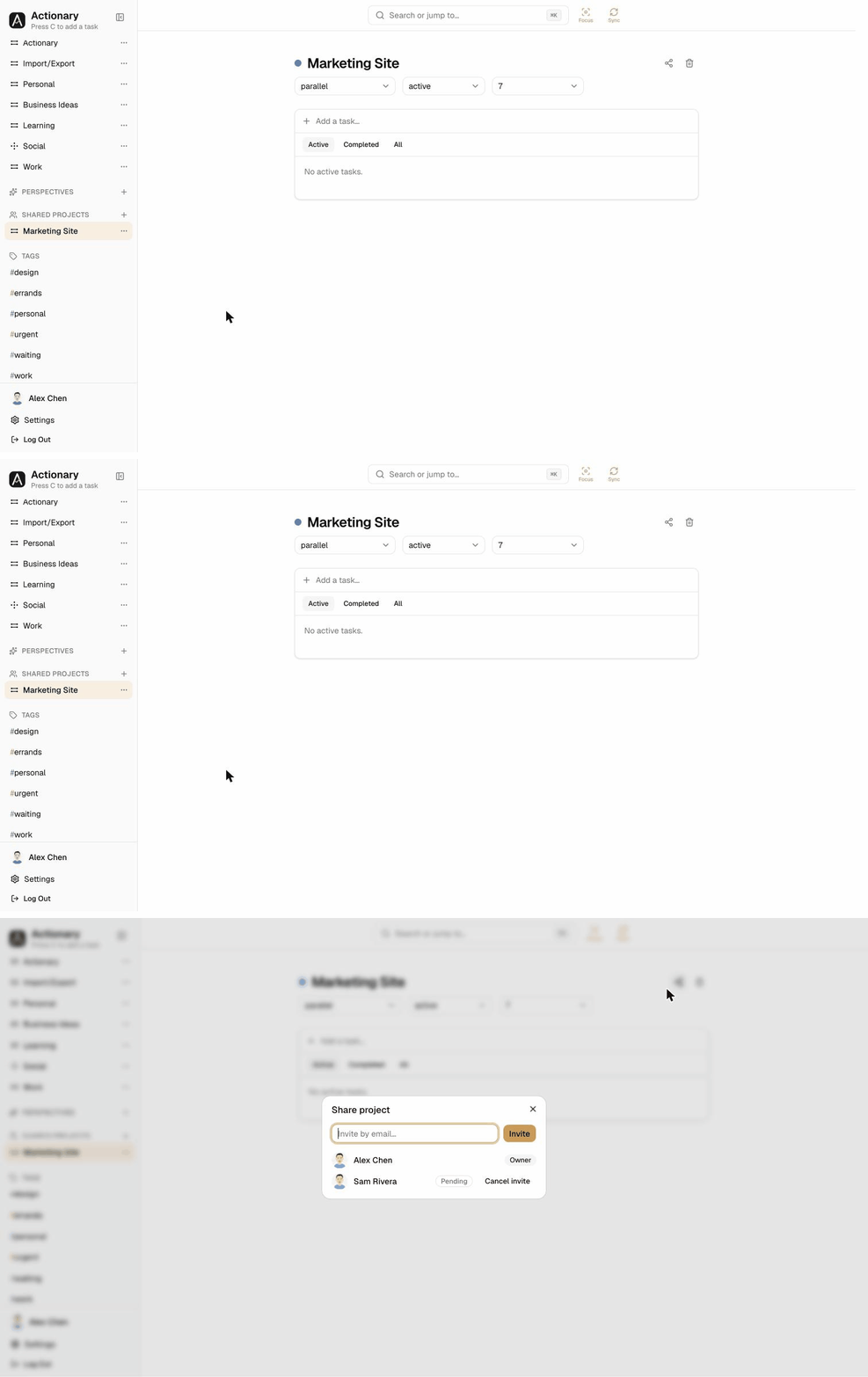
Click the share icon on any project and invite someone by email. They see the invite waiting for them and can accept or decline it — nothing about the project is visible to them until they accept. Once accepted, it shows up under Shared Projects in their sidebar and they can see and edit every task in it right alongside you.
Starting a project from the Shared Projects section's own “+” puts it there right away, before you've invited anyone — a quicker path when you already know it's going to be a shared one.
Tags, Perspectives, and search
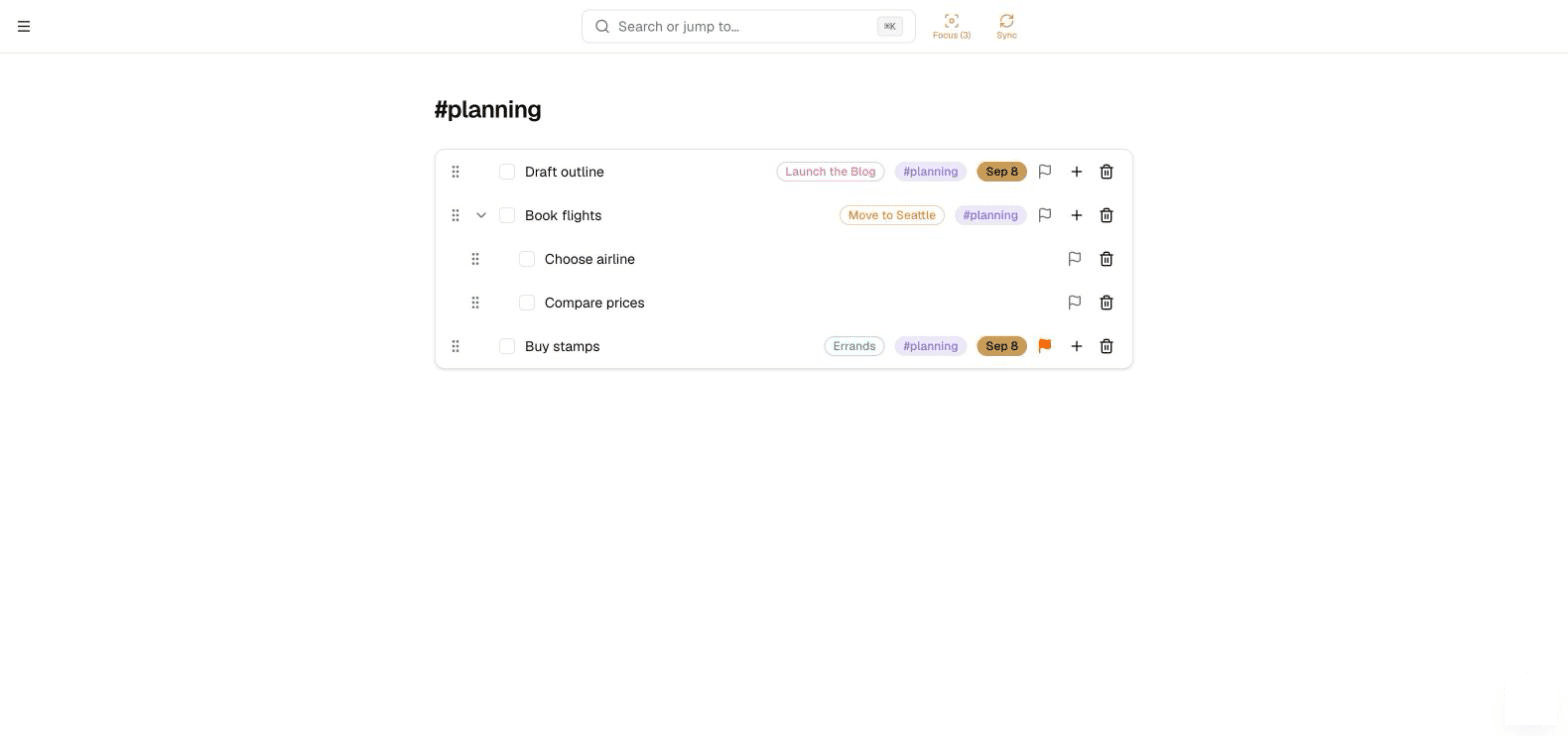
Tags cut across projects — put the same tag on tasks from different projects to group them by context (like #errands or #waiting-on).
Perspectives save a filter — tags, flagged-only, a project — as a permanent view pinned in the sidebar, so you don't have to rebuild it every time.
Press ⌘K to search everything — tasks, projects, and tags — at once.
Focus, Forecast, and flags
Focus narrows the entire app — Home, Forecast, Flagged, Completed, the sidebar itself — down to one or more chosen projects, so a big list of everything doesn't drown out what you're actually working on today. Toggle it from any project's ⋯ menu in the sidebar.
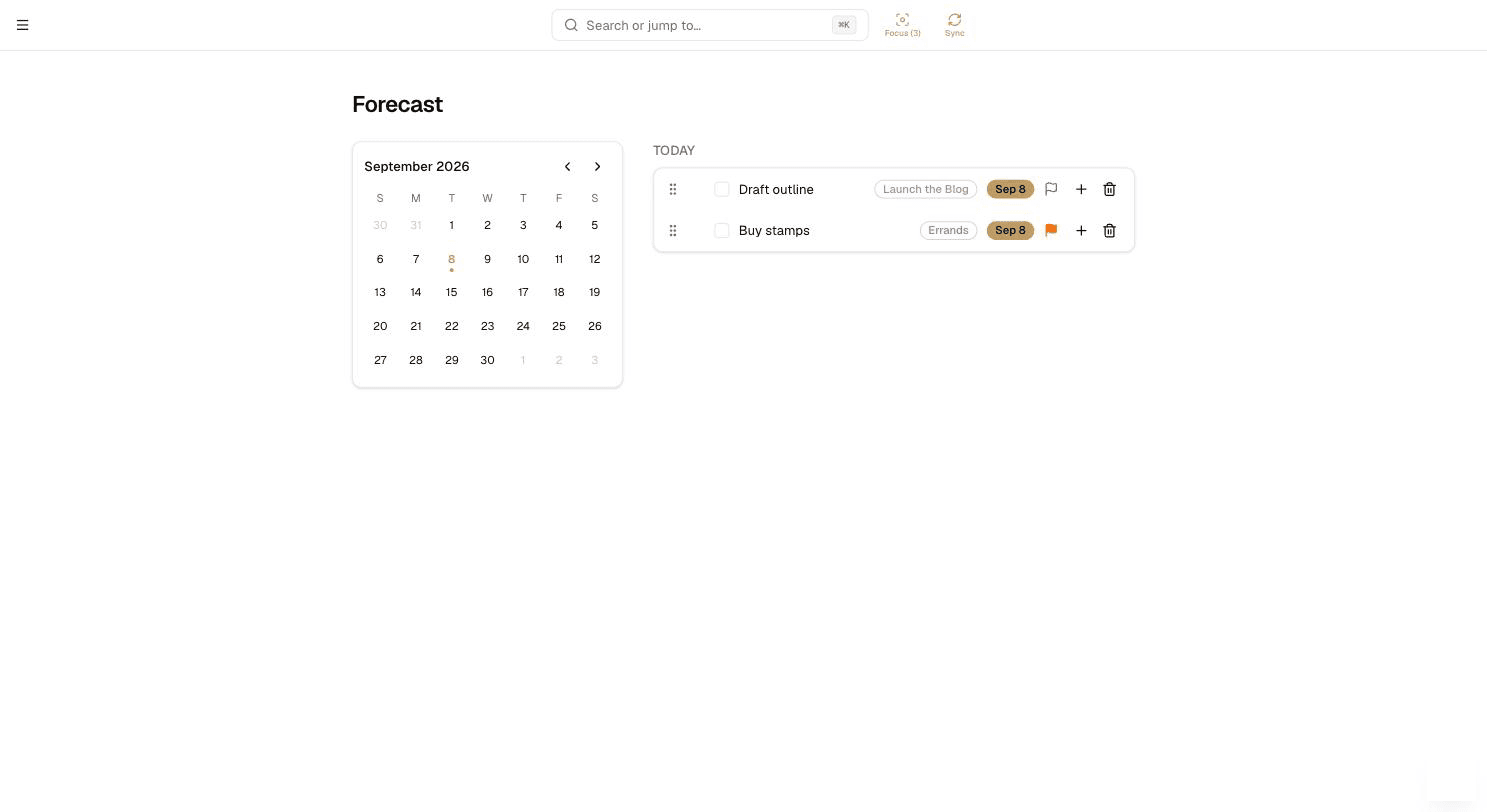
Forecast is a calendar of what's due, grouped into Overdue, Today, and Upcoming. Flagged collects flagged tasks from every project in one place, and a task can carry a priority (!, !!, !!!) to mark how urgent it is.

Keep projects from going stale
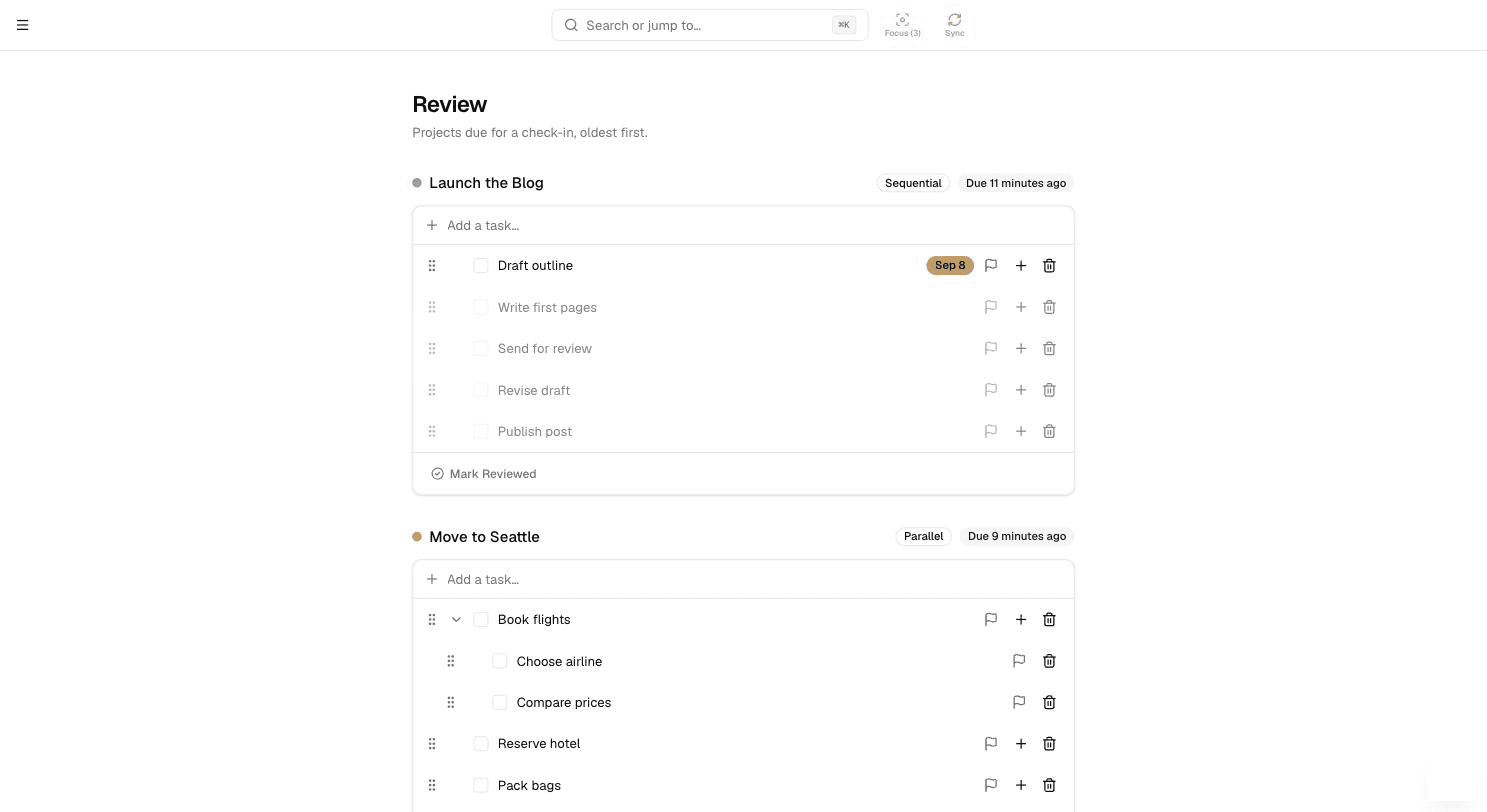
Give any project a review interval and it'll surface on the Review page once that much time has passed since you last looked at it — a periodic check that nothing's been quietly forgotten.
Tasks can repeat too — either on a fixed schedule, or a fixed interval after you actually finish them, for things like “water the plants every 3 days” where the clock should only start once the last one's done.
Your dashboard, and everything you've finished
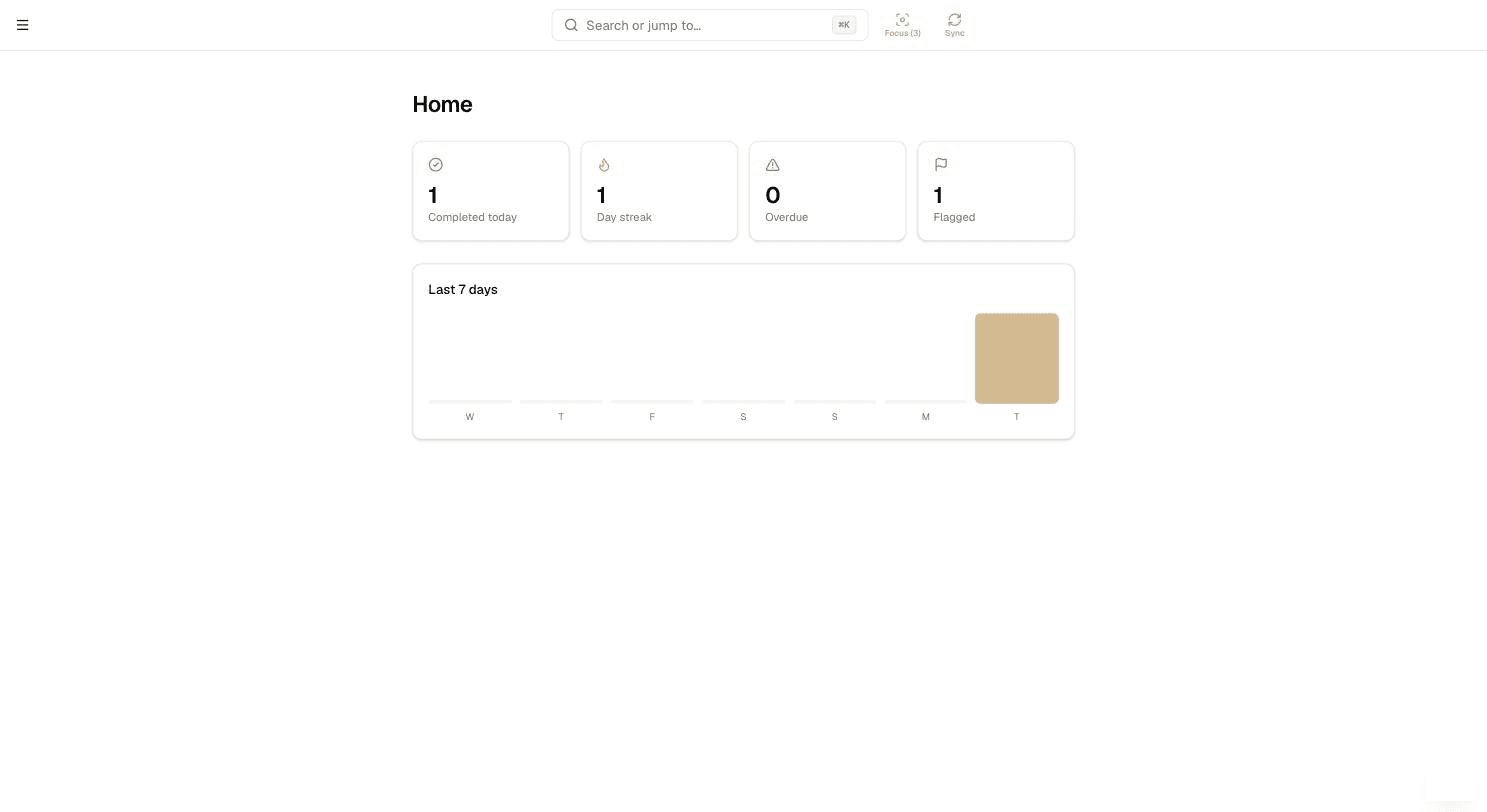
Home is a quick dashboard: what's due today, your completion streak, overdue tasks, and a 7-day activity chart. Completed is the full archive of everything you've finished, for whenever you need to look back.
Appearance, notifications, and exporting your data
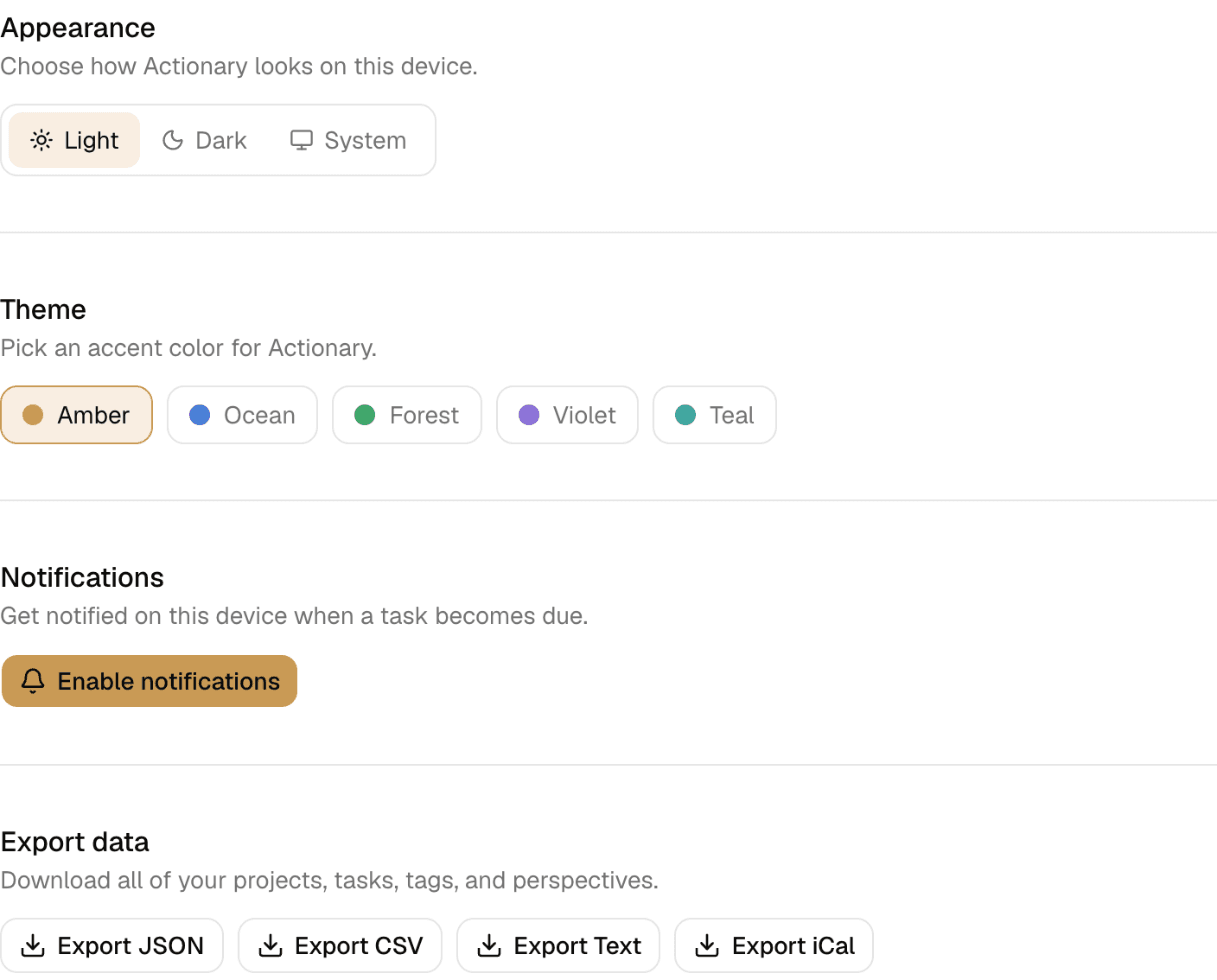
Switch between Light, Dark, or System appearance, turn on web push notifications for due tasks, and export everything — every project and task — as JSON, CSV, plain text, or an iCal feed, whenever you want a copy of your own data.
Works without a connection
Go offline and Actionary keeps working — changes queue locally and sync automatically the moment you're back online, or immediately with the Sync button next to Focus, which also pulls in anything changed on your other devices.
Actionary installs as an app on your phone or laptop straight from the browser — no app store needed. See how to install it.
Move faster with the keyboard
Almost anything you do can be undone — press ⌘Z right after completing, deleting, or moving a task to bring it back.
Missed the undo? Deleted tasks, projects and folders wait in Trash (bottom of the sidebar) for 30 days — open it and press Restore.
| C | Quick-capture a new task from anywhere |
| ⌘K | Open search |
| / | Open search (same as ⌘K) |
| ? | Open Help — shortcuts, quick answers, and the tour |
| ⌘Z | Undo the last action |
| Enter | Save a task while editing |
| Esc | Close the current dialog or panel |
| Tab | Mind map: add a subtask to the selected task |
| F2 | Mind map: rename the selected task |
| Space | Mind map: open the selected task's details |
Ready to get organized?
Get started free